Survey Organisation
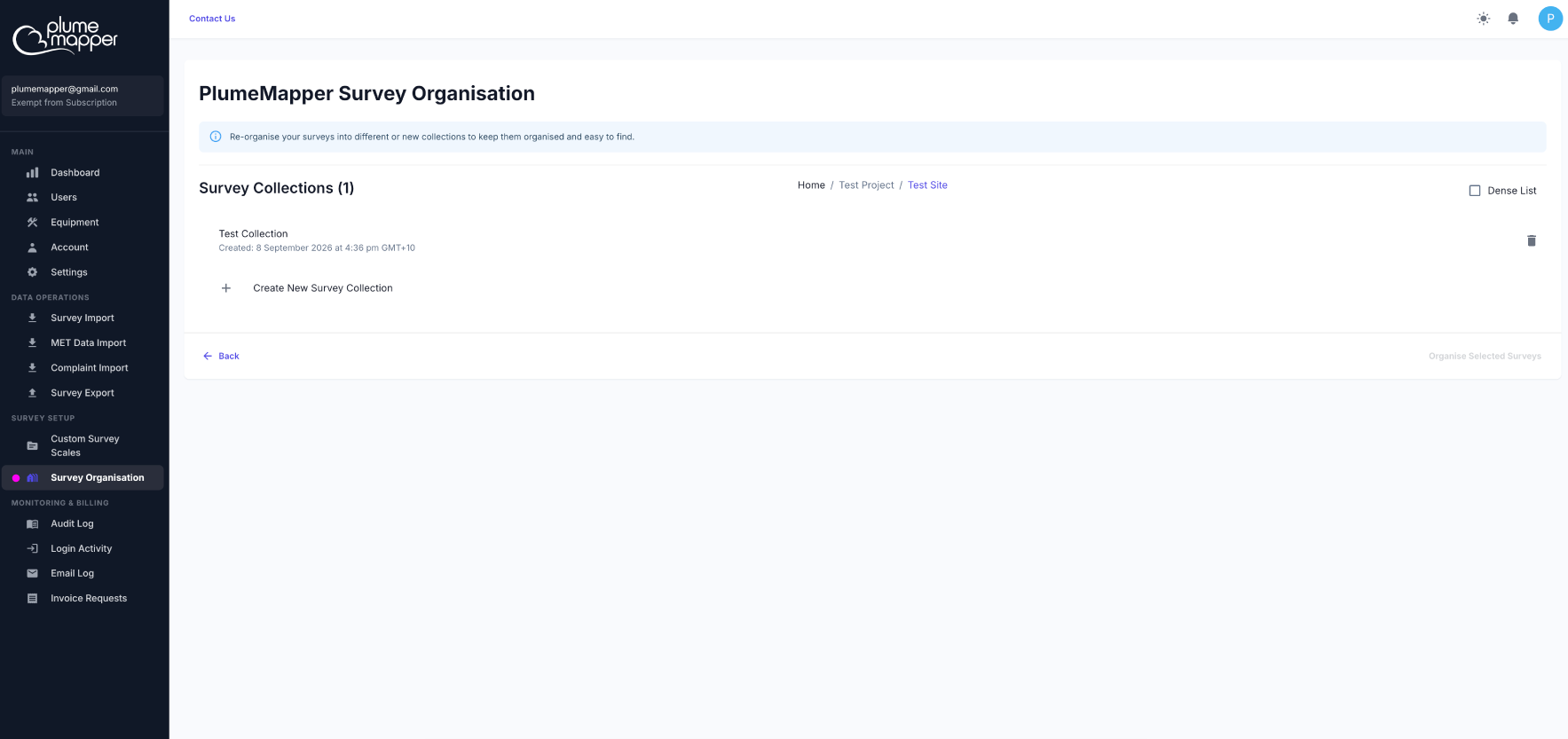
Survey Organisation lets you re-organise your surveys into different or new survey collections.
1. Click Survey Organisation in the Survey Setup section of the sidebar.
2. Navigate to the collection containing the surveys you want to move:
- Client > Project > Site > Collection.
- Click the collection name to access the surveys.
Manage Survey Collections
You can also use this page to create new survey collections or delete collections you no longer need.
Create a Collection
1. Click Create New Survey Collection.
2. Enter a name for the new collection.
3. Click Create Collection.
Delete a Collection
1. Find the collection you want to remove in the collection list.
2. Click the button next to the collection.
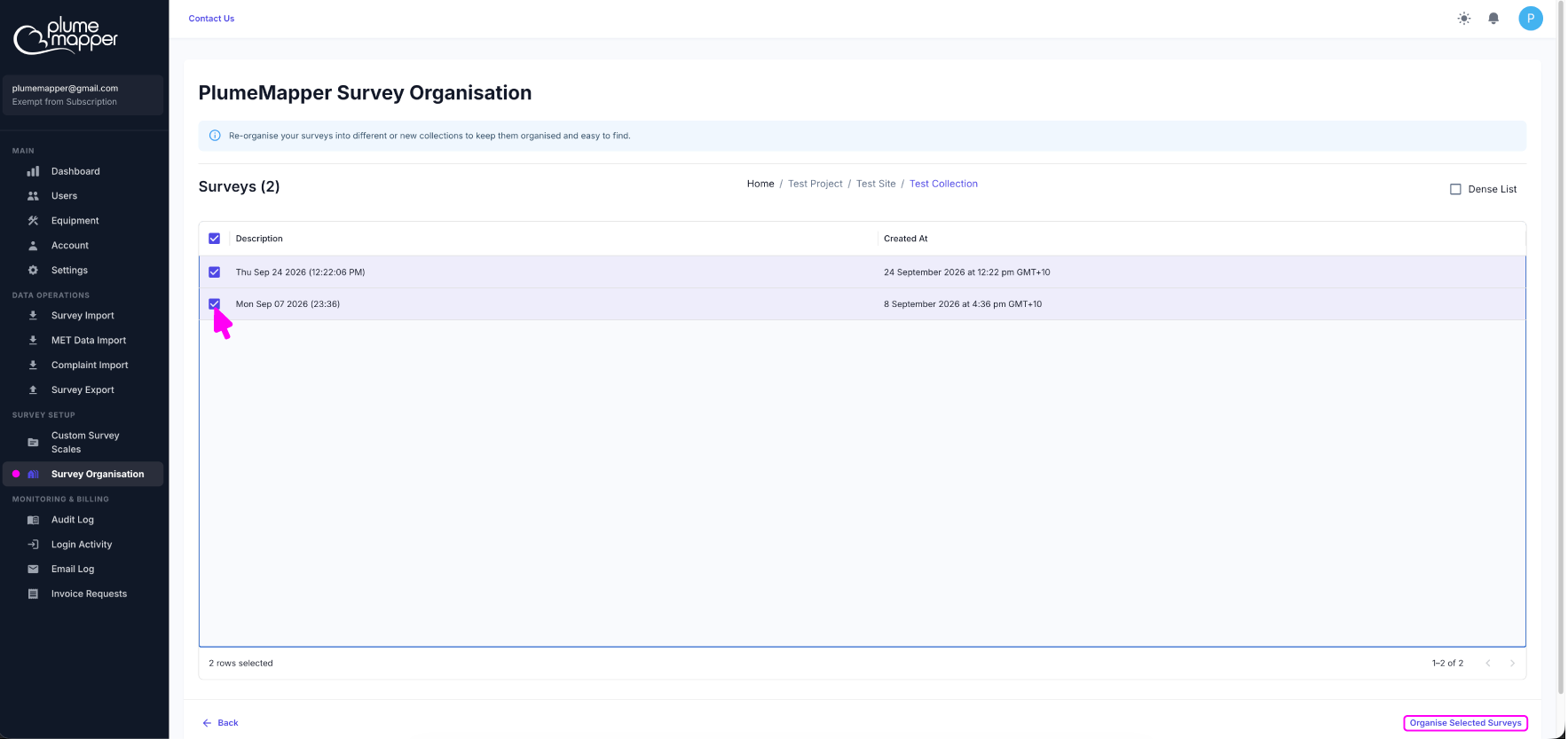
Select Surveys to Move
1. Select one or more surveys from the survey list.
2. Click the Organise Selected Surveys button.
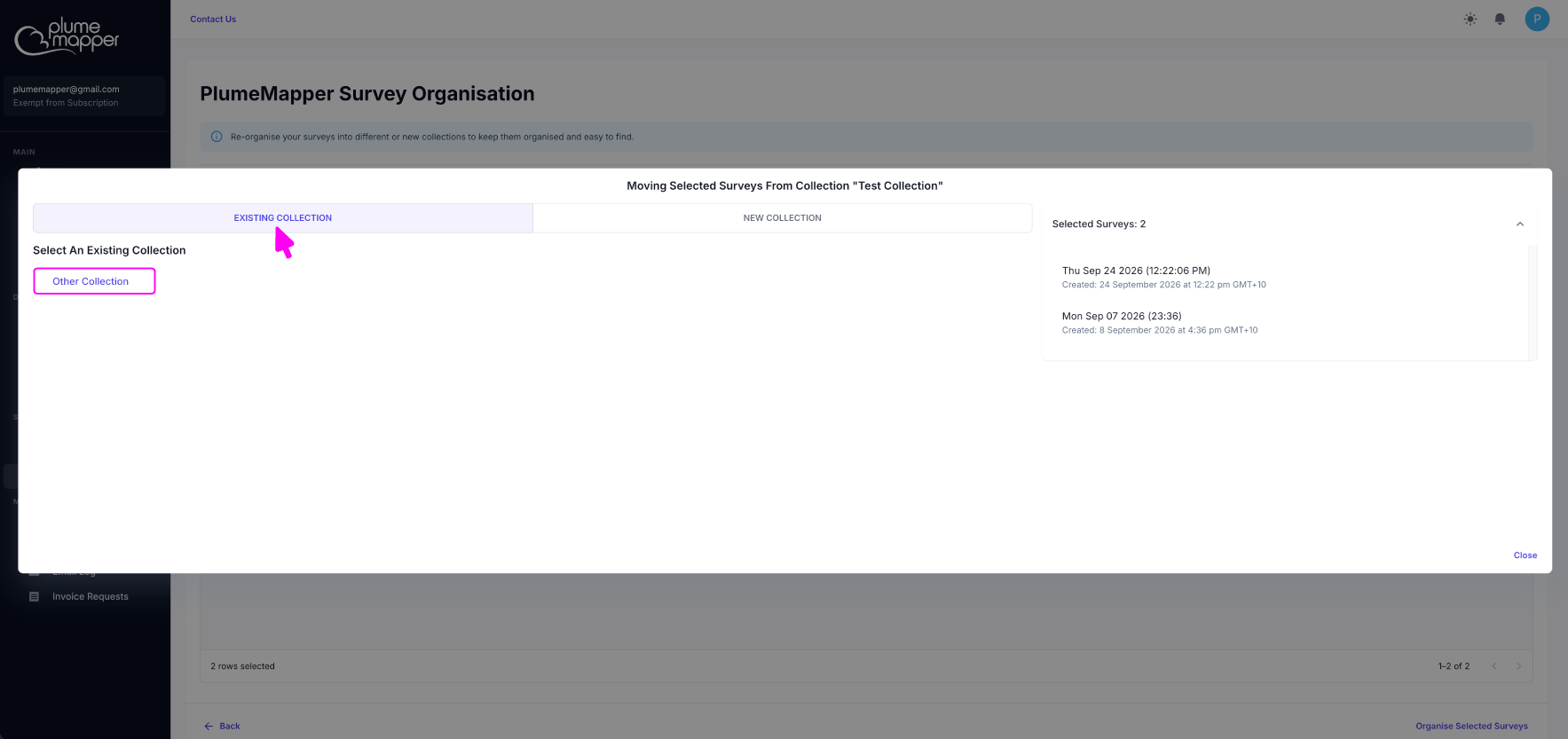
Move to an Existing Collection
1. Select the collection you want to move the surveys into.
2. Click the collection name.
The selected surveys are moved to that collection immediately.
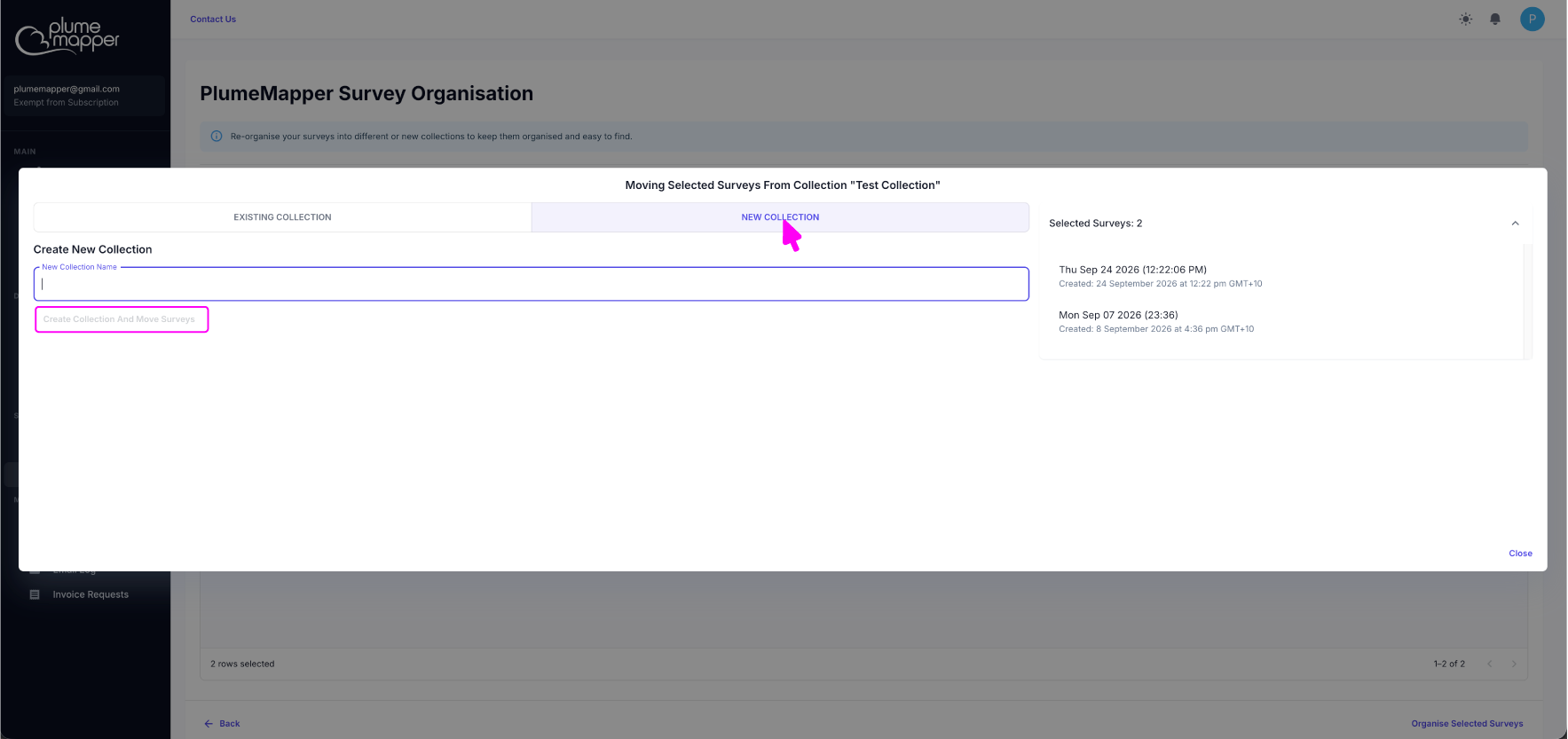
Create a New Collection
1. Enter a name for the new collection.
2. Click the Create Collection and Move Surveys button.
A new collection is created, and the selected surveys are moved into it immediately.