
Invoice Requests
If cannot pay for your subscription by credit card, you can request an invoice instead.
Invoices can only be requested on annual subscriptions.
Requesting an invoice
1. Go to the subscription page by clicking the Subscribe to access all features button at the bottom left of the screen.
2. Find the subscription tier you want and click Request Invoice.
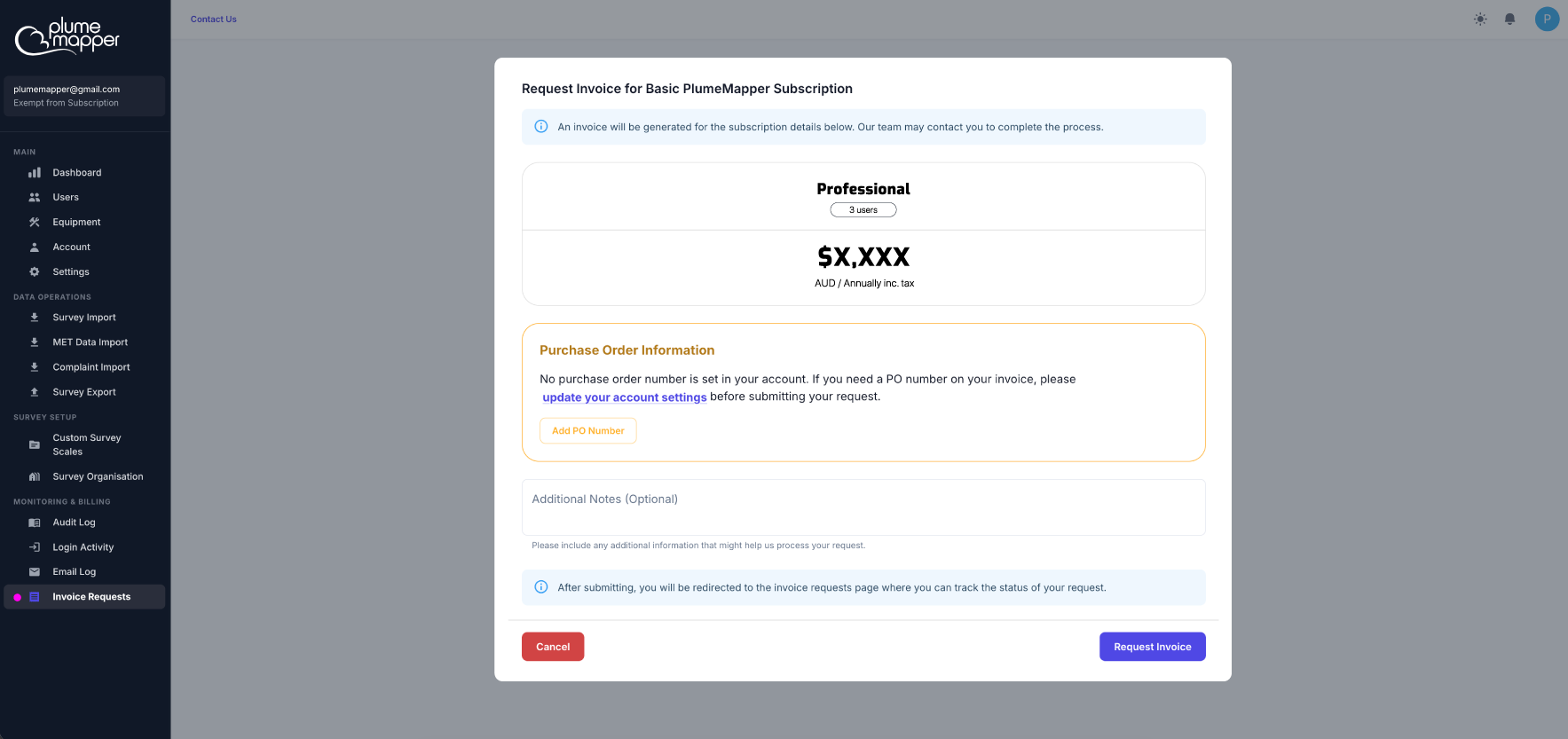
3. Check the plan details, number of seats and price.
- Your business name and address must be filled in before you can request an invoice. If they are missing, click Update Account Details to complete your organisation profile first.
- Add any Additional Notes that might help us process your request (optional).
4. Click Request Invoice. You will be taken to the Invoice Requests page, where you can track your request.
Note: You can only have one pending invoice request at a time.
Tracking your request
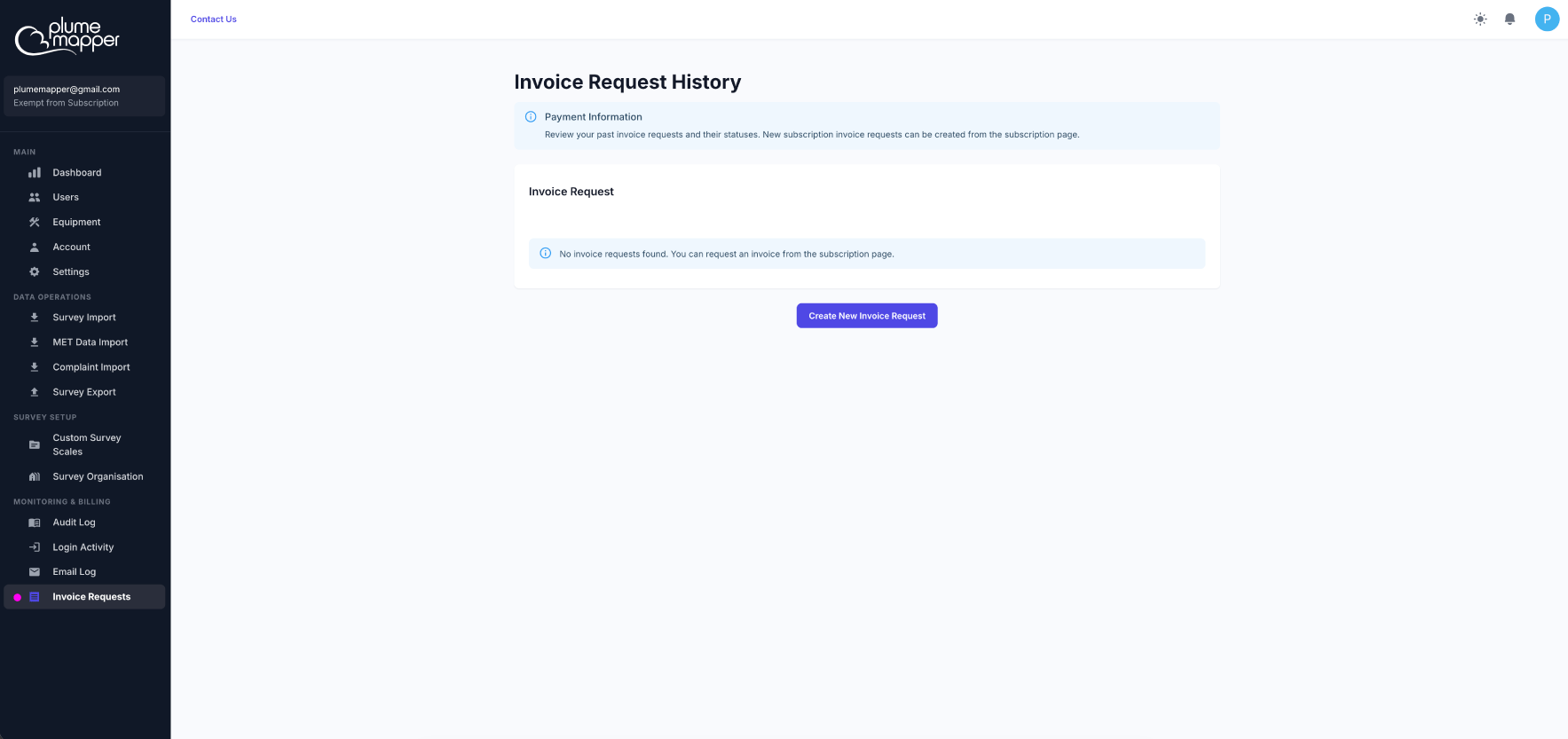
Select Invoice Requests from the Monitoring & Billing section of the sidebar.
Your current request shows:
- Plan Details - the plan name, number of seats and price per period (tax exclusive).
- Request Information - when you requested it, when the invoice was sent and any notes you added.
- Status:
- Pending - your request is being reviewed by the PlumeMapper team.
- Invoiced - your invoice has been generated and sent, and your subscription has started.
While a request is pending, you can’t start a new subscription or request another invoice. You will be notified when your invoice is ready.
Paying your invoice
Once your invoice has been generated:
- Your subscription starts straight away.
- The invoice is emailed to your registered email address. If you can’t find it, check your spam folder or contact support@plumemapper.com.au.
- Invoices must be paid within 30 days. If not paid, your subscription will be automatically cancelled.
Past invoices
Click View Past Invoices to see all of your previous invoice requests, along with their status, plan, request date, invoice sent date and notes. Click Return to Current Request to go back.
If you have no pending request and no active subscription, a Create New Invoice Request button will take you to the subscription page.