
Measure Distance
Open this tool from the survey map screen, by tapping the at the bottom-right of the survey map.
1. Open the Measuring Tool
- Tap the button.
- The button changes to (tap this to exit the tool).
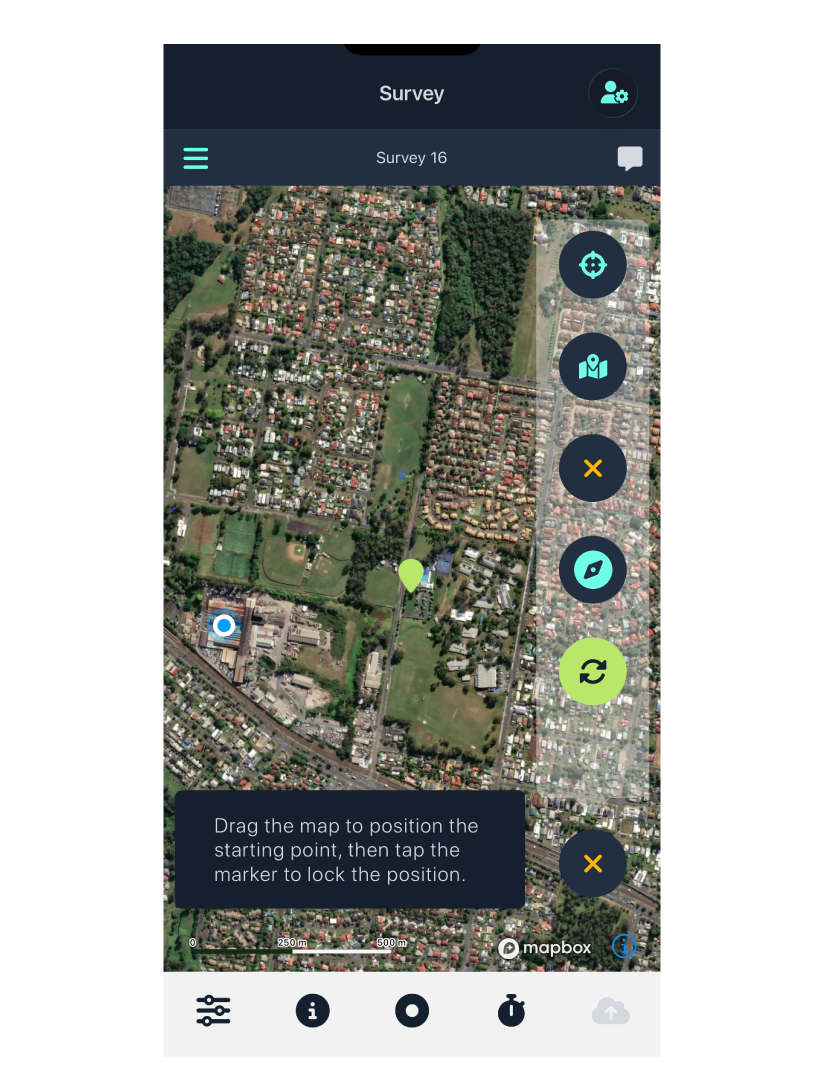
2. Set the Starting Point
- Drag the map until the marker is over the location you want to measure from.
- Tap the marker.
- It changes to a pin (your start point is now locked).
3. Set the End Point
- Drag the map until the marker is over the location you want to measure to.
- The distance and bearing between the two points appear on screen.
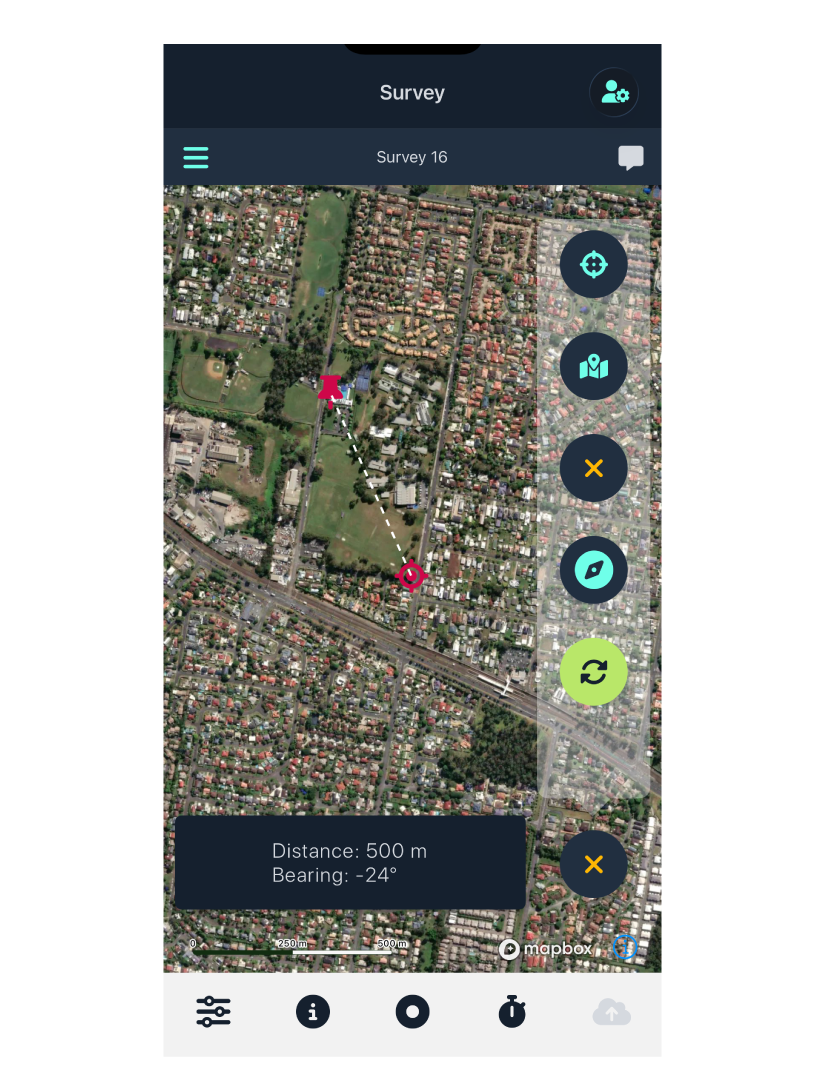
4. Measure Another Distance
- To measure a new distance, tap the pin.
- It changes back to .
- Repeat steps 2–3.
5. Exit the Measuring Tool
When you’re done, tap the button (in the same menu spot where the button was).