
Account Setup
To create a PlumeMapper account, enquire about a subscription at support@plumemapper.com.au.
Once your administrator account has been created, check for an email from the PlumeMapper team.
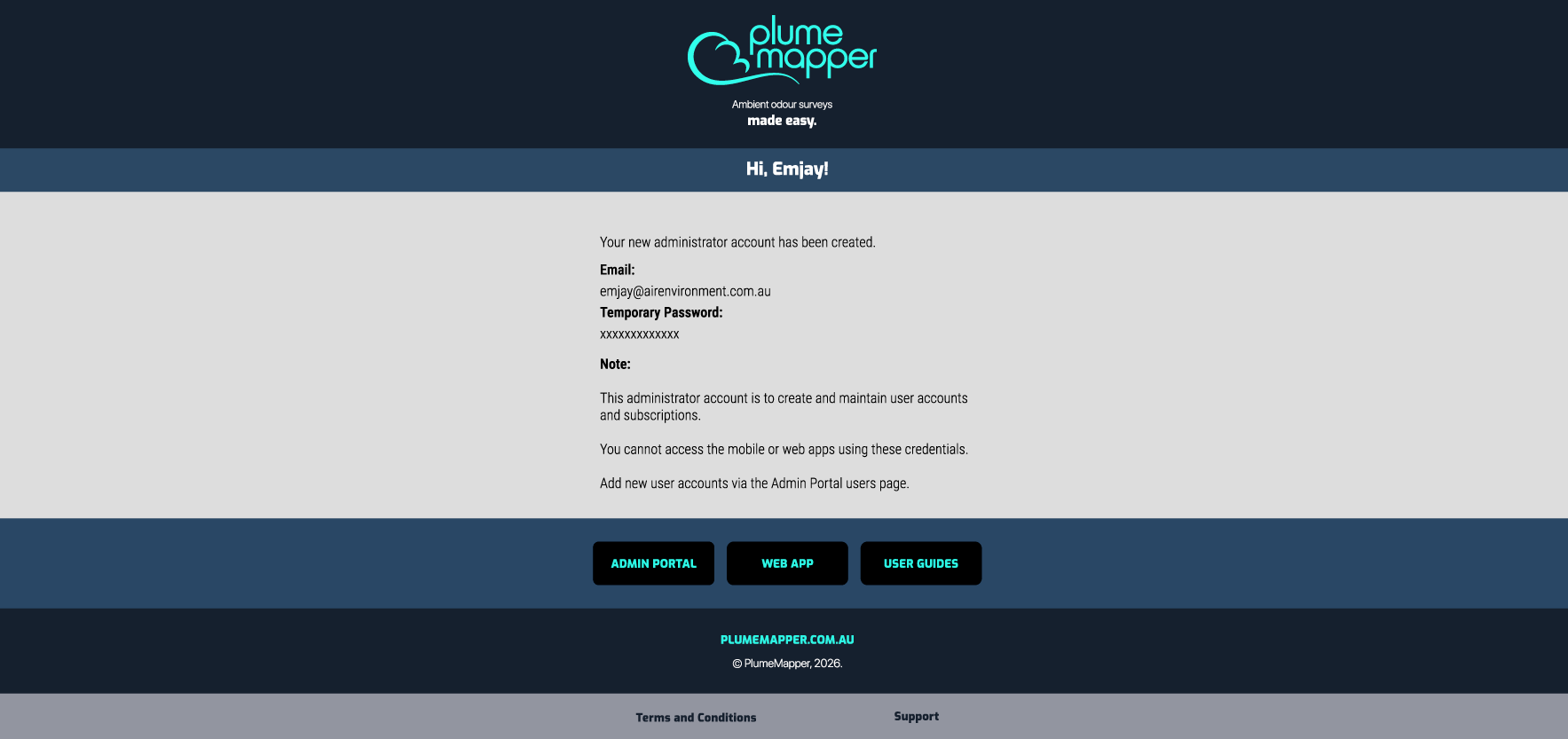
1. Log into Admin Portal.
- Use the email and temporary password from the email you received.
- You will be immediately prompted to change your password.
- Follow the steps through the welcome guide.
Sorting Data
By default, sorting by client is selected.
Data Structure
- Client | Project - The top level of your data.
- Site - The location where your data is being collected.
- Survey Collection - Sub groups for sorting your surveys.
- Survey - Where your measurement data is stored.
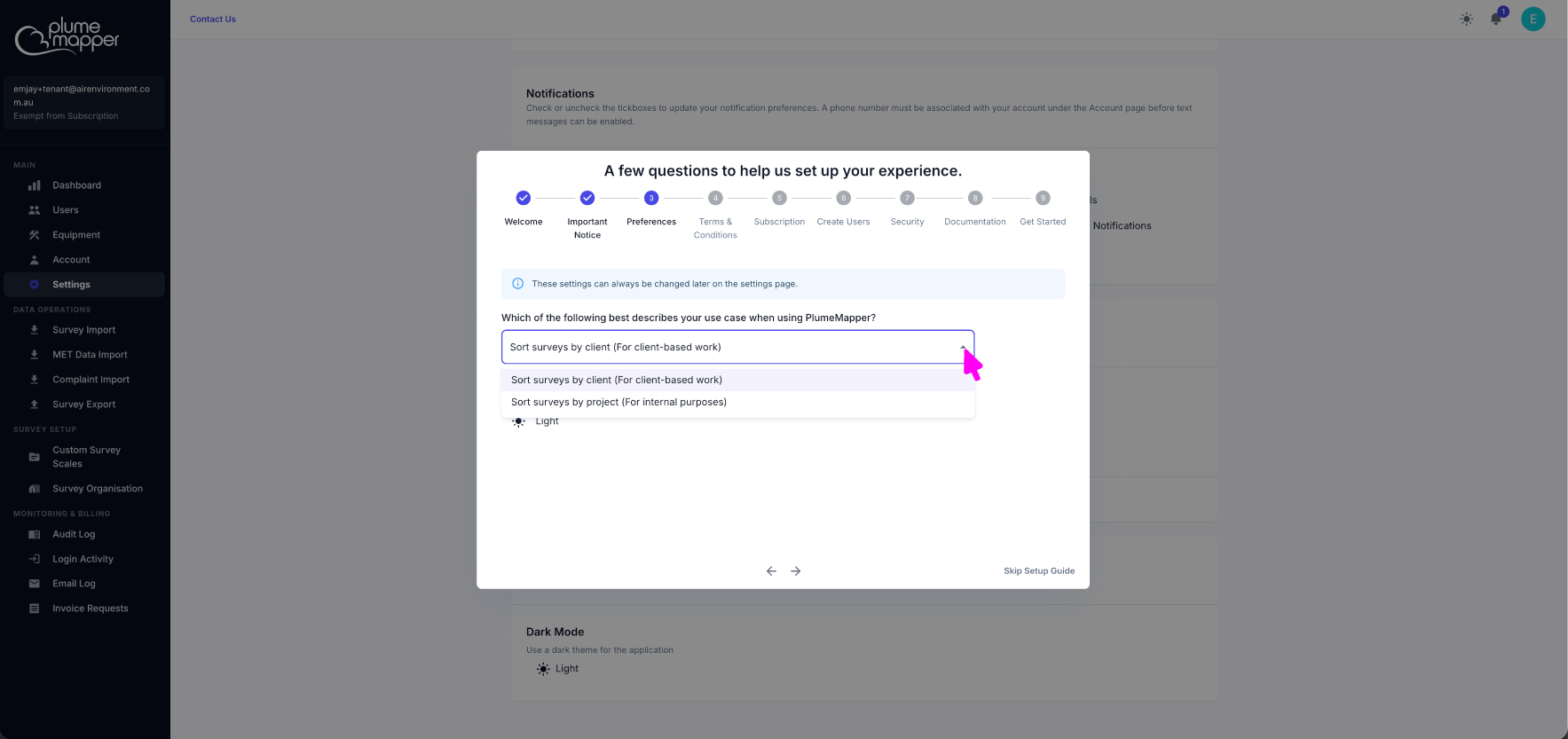
By Client
This option is for consultants who conduct work for multiple clients, or Governments that have an Odour Abatement Taskforce or alike.
- Client - a property developer, waste water treatment plant, landfill, etc.
- Project - when you have multiple projects per client, e.g. Reverse Amenity Odour Impact Assessment - 2024 or Odour Impact Assessment - 2026.
- Site - when the client has multiple sites (different locations), e.g. Brisbane QLD, Melbourne VIC, Hobart TAS, etc.
- Survey Collection - group your surveys by collection, e.g. seasonal (winter, summer) or pre and post process changes.
- Survey - your individual field sessions, e.g. Mon Sep 21 2026 (10:00:00), Tue Sep 22 2026 (08:00:00), Tue Sep 22 2026 (14:00:00), etc.
By Project
This option is for industries that need to conduct regular ambient odour surveys to meet regulations, or companies that require internal field surveying.
Once you have completed the welcome guide steps and accepted the terms and conditions, click the Try PlumeMapper for free button at the bottom left of the screen.
- Choose your subscription tier from the options and click Start Free Trial.
- Enter your details and finalise the account creation.
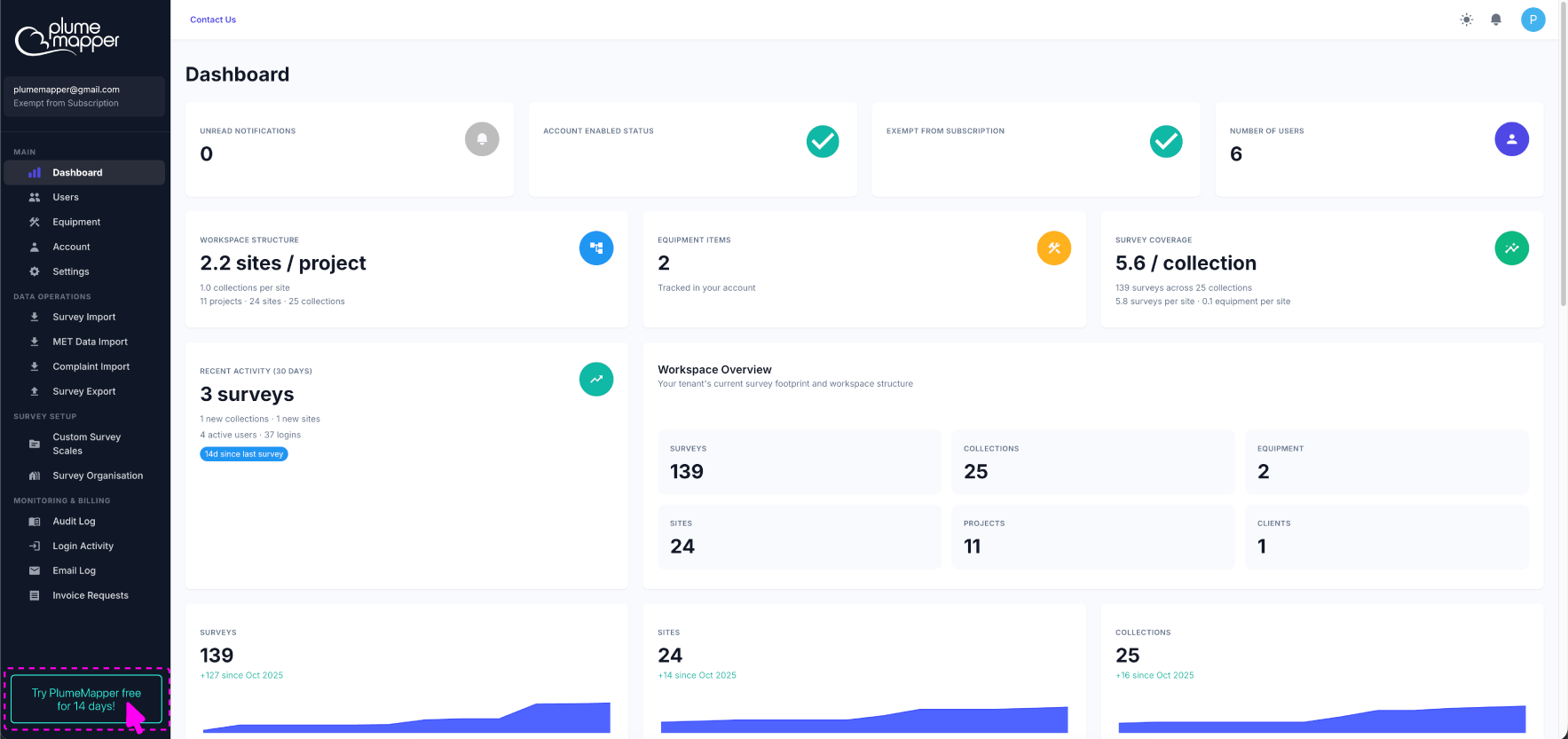
You can now start adding users to your account.
Note: Your administrator account cannot be used to log into the web app or mobile app. If you want to use this email address as a PlumeMapper app user, create a user with your email address.
After your trial has ended:
- The Try PlumeMapper Free for 14 Days button changes to a Subscribe to Access All Features button. Clicking it lets you select a subscription tier.
- You can pay by credit card or by invoice.